
 ChatGPT
This month’s release is packed with updates to make Ocasta even more powerful and easy to use. We’ve improved how you manage tasks, added new ways to create and share content, and made it easier to uncover performance insights across our hubs.
From smarter task management with comments and activity logs to AI-powered content creation, these updates help your teams move faster and stay aligned — so you can stop guessing and start knowing what’s working.
See how your scores are trending
Inspections & Checklists Hub
Observation & Coaching Hub
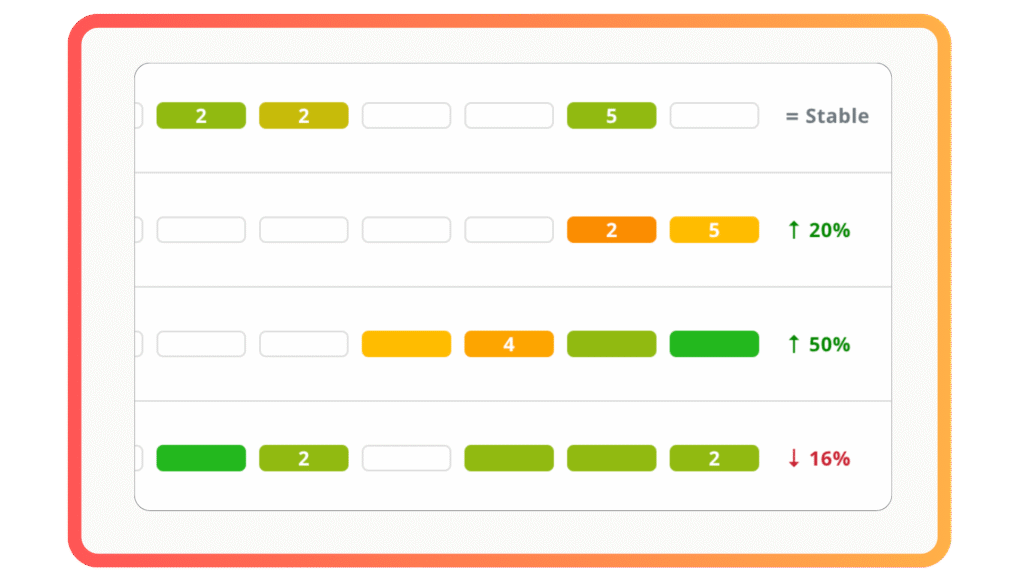
You can now spot performance trends at a glance — whether your scores are climbing, dipping, or holding steady. We surface the bigger picture from your review data, so you can stop guessing and start knowing what’s changing. Head to the Timeline view to see them.
Task management just got more powerful
Inspections & Checklists Hub
Observation & Coaching Hub
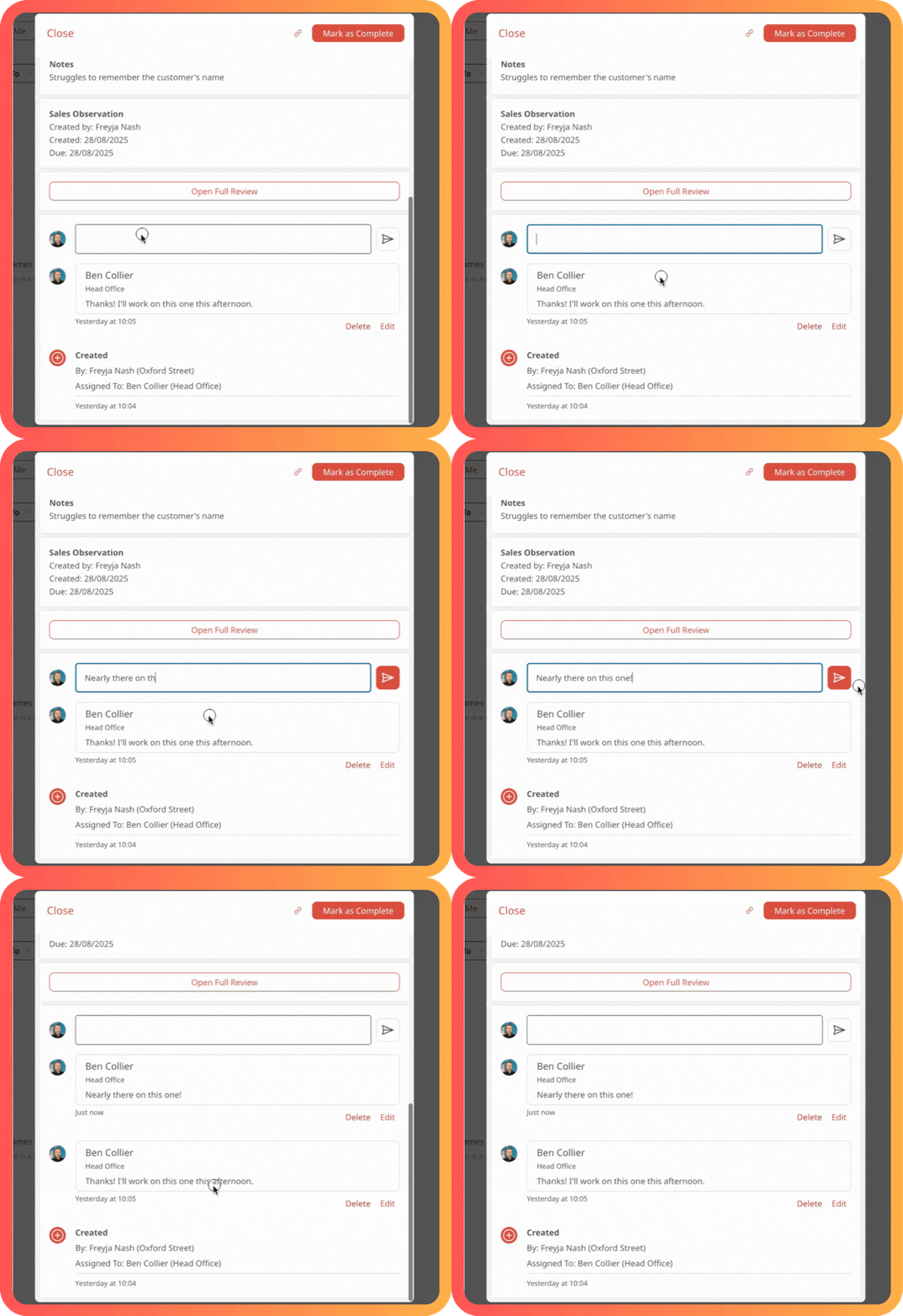
We’ve made a series of improvements to help you keep tasks moving and your team aligned.
Comments
You can now add comments to any task you can view — whether it’s one you created or one assigned to you. Perfect for giving context or sharing an update.
Task assignment
If your role includes the new task assignment permission, you can now assign tasks to any user you have access to, based on your role’s roaming permissions. The account owner role has this permission by default. Want a custom role to have it too? Just contact support and we’ll help you make the changes.
Activity log
Every action — task status change, reassignment, comments — is now logged, so you’ll always have a clear trail of what’s happened and when.
Copy task link
Need to share a task with a teammate? Just open the task and use the new Copy link button to send them straight to it.
AI-powered articles, internal comms and learning content
Knowledge & Learning Hub
Internal Comms Hub
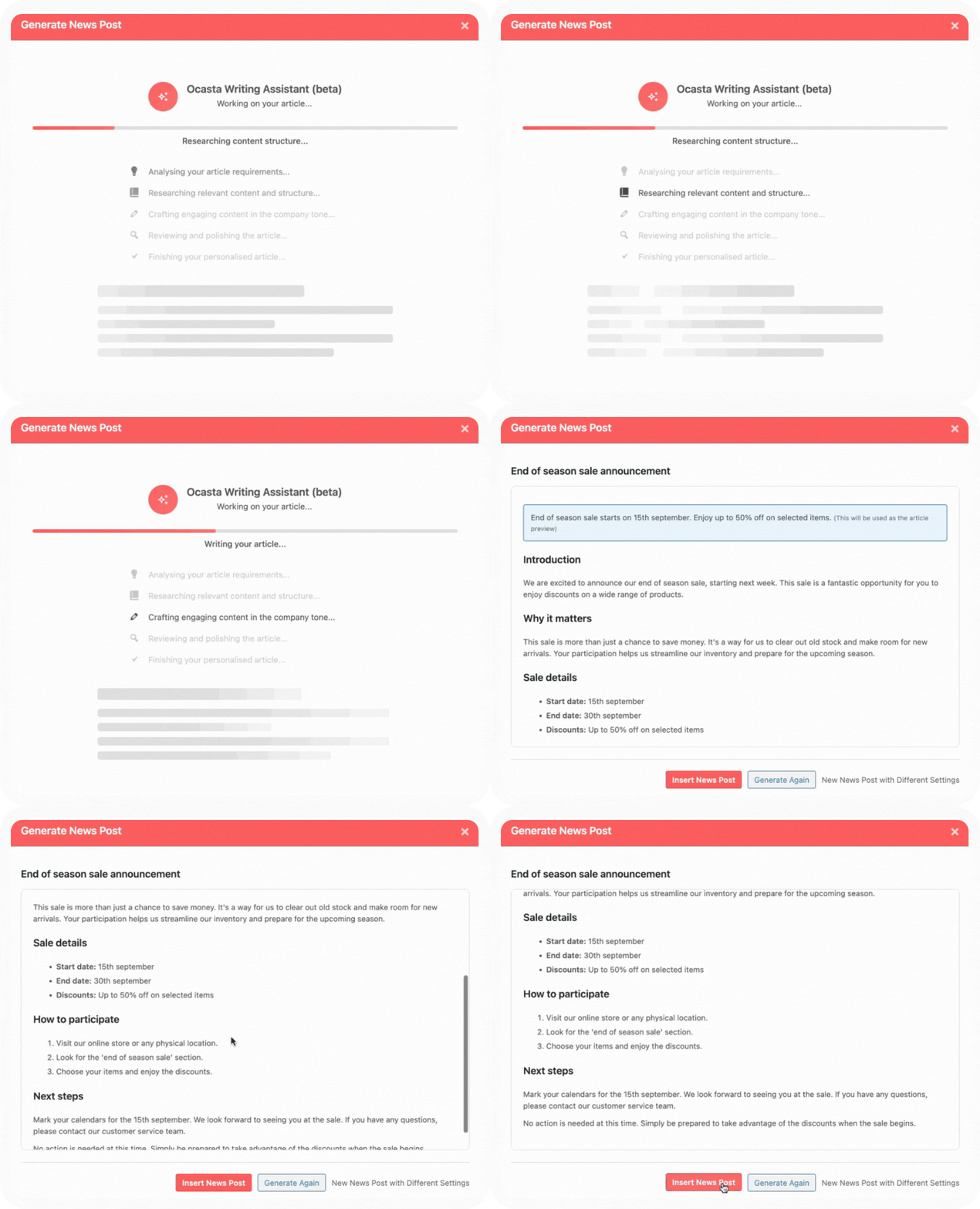
We’ve made creating articles and news items easier with AI. Now, when you start a new article or news item, you can choose to let AI give you a hand. Just enter a title and a few key points, click generate, and you’ll get a ready-to-edit draft in seconds. From there, you can tweak and publish when you’re happy.
We’ve trained it to deliver the right kind of content to keep your frontline engaged, and get in touch with our team to update it for your company tone of voice and preferred writing style (like title vs sentence case for headings).
Already got a PDF? Upload it and let AI create your article or internal comms for you.
Automatically turn your articles into learning content
When your article’s ready, you can take things a step further. Use AI to generate questions and tasks based on the content, making it simple to turn your articles into course material — and saving you time.
Extra improvements
Inspections & Checklists Hub
Observation & Coaching Hub
QR codes for review templates
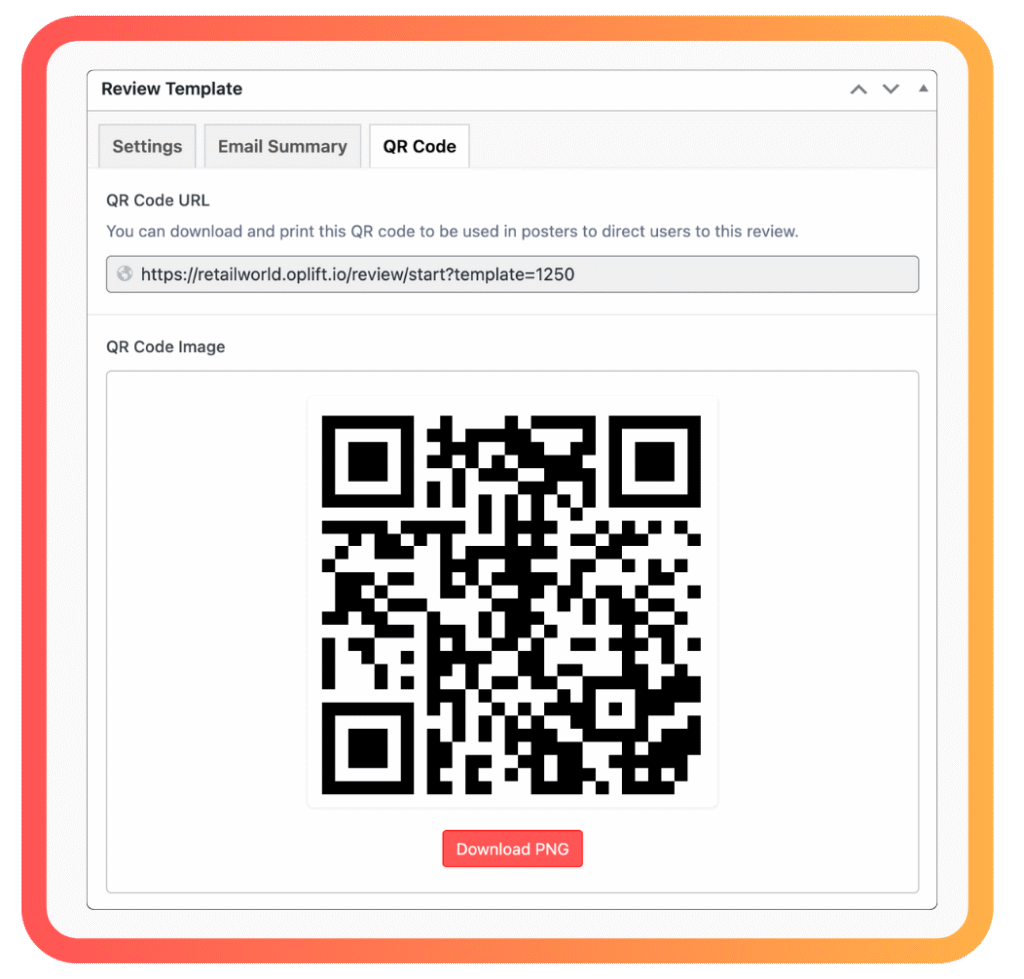
Admins can now create, download, and print a QR code for any review template. Pop it on a poster or display it in-store to make it easy for your team to scan and jump straight into the review.
Location identifiers in CSV exports
We’ve added your internal unique Location Identifier to CSV downloads from these reports on the Analytics page: History, Latest, Timeline, and In progress. This makes it easier to sort, filter, and pinpoint exactly where things are happening.