
 ChatGPT
This month, we’ve unified Ocasta across web and app, introduced direct tasks, improved notifications, added AI-powered search answers, and made it possible to target banners to the right people at the right time.
Ocasta web — now all in one place 🧭
Core Platform
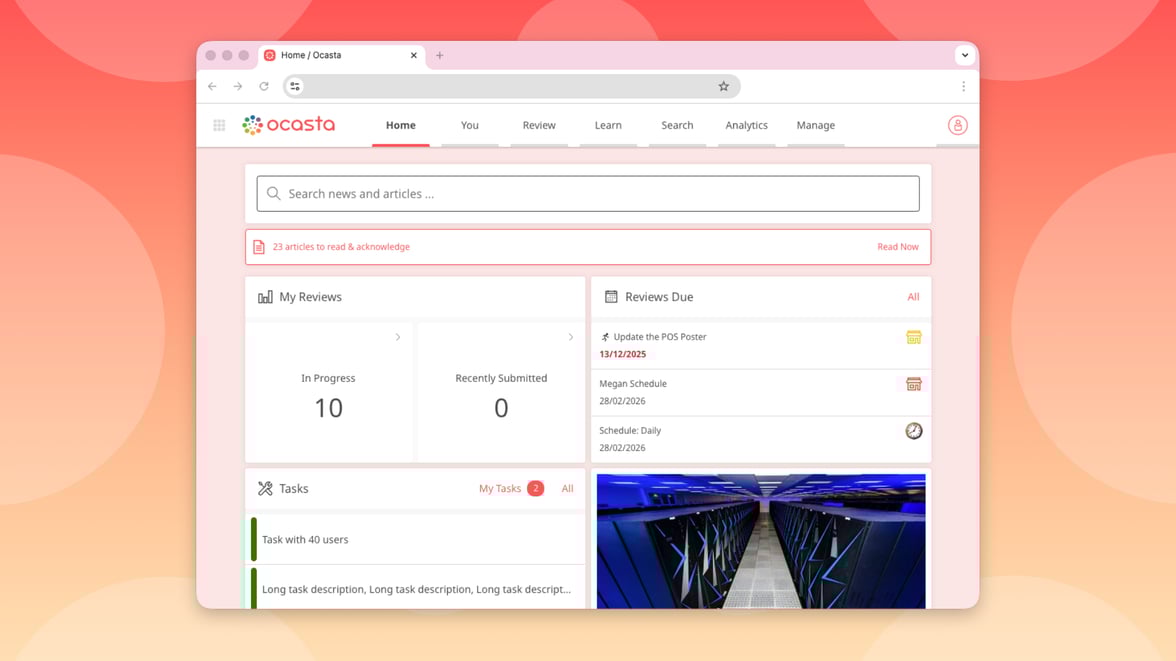
Last month, we brought Ocasta Engage and Ocasta Review together into one app: Ocasta.
This month, we’ve done the same on the web. Everything now lives in one place.
No switching. No separate experiences. Just one platform that gives your teams the knowledge they need, the checks they must complete, and the insight you rely on to improve performance.
If you previously just used Ocasta Engage, you’ll see the same menus you’re used to, and if you used Ocasta Review, the most notable change is that you’ll now head to the Review menu item in the navigation bar, instead of Start.
Create direct tasks ✅
Inspections & Checklist Hub
Observation & Coaching Hub
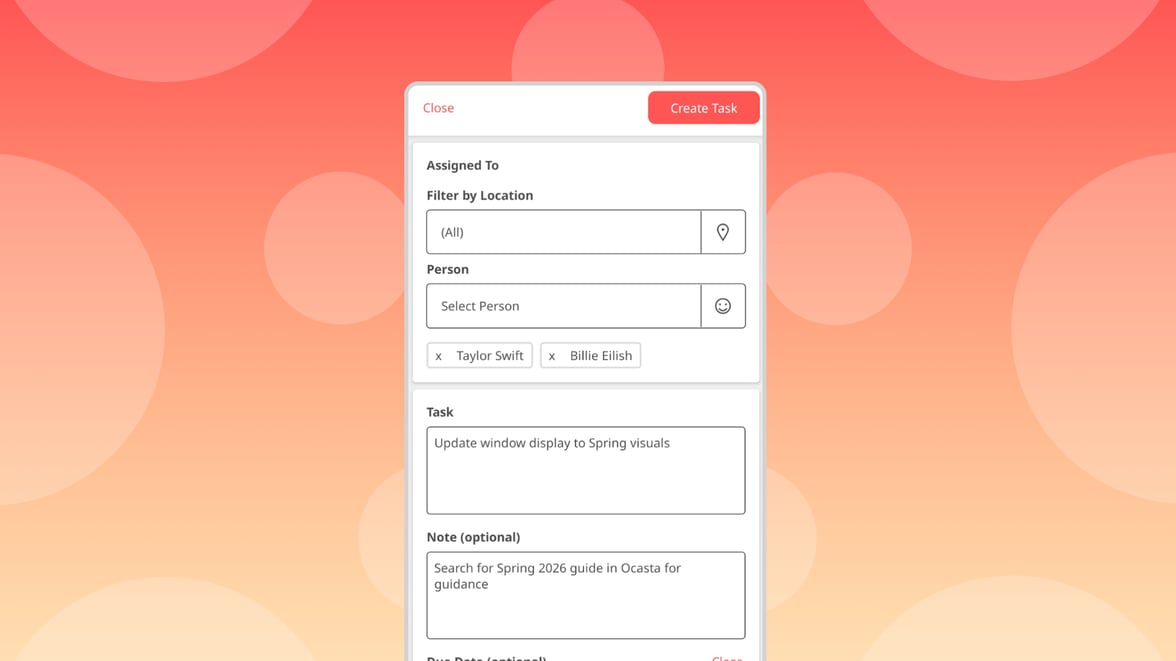
Until now, every task had to live inside a review.
Now, you and your frontline can create direct, one-off tasks directly from the Tasks page — in the app or on the web. See something that needs action? Create a task instantly.
This lets your frontline self-serve their day to day tasks and team operations.
You can assign a direct task to one person or up to 40 at once, with identical tasks created for each individual. Each person gets an email, sees it in their task list, and receives a push notification straight away.
In the Tasks tab, you can filter tasks by All, Direct, or Review.
Push notifications for assigned tasks 🏓
Inspections & Checklist Hub
Observation & Coaching Hub
When someone is assigned a task, they can now receive:
- An email notification and/or
- A push notification
This ensures they know they’re expected to take action — especially in fast-moving frontline environments where timing matters.
Admin users can choose to turn off task notifications or emails in the admin.
Ocasta Answer in search ✨
Knowledge & Learning Hub
Comms & Engagement Hub
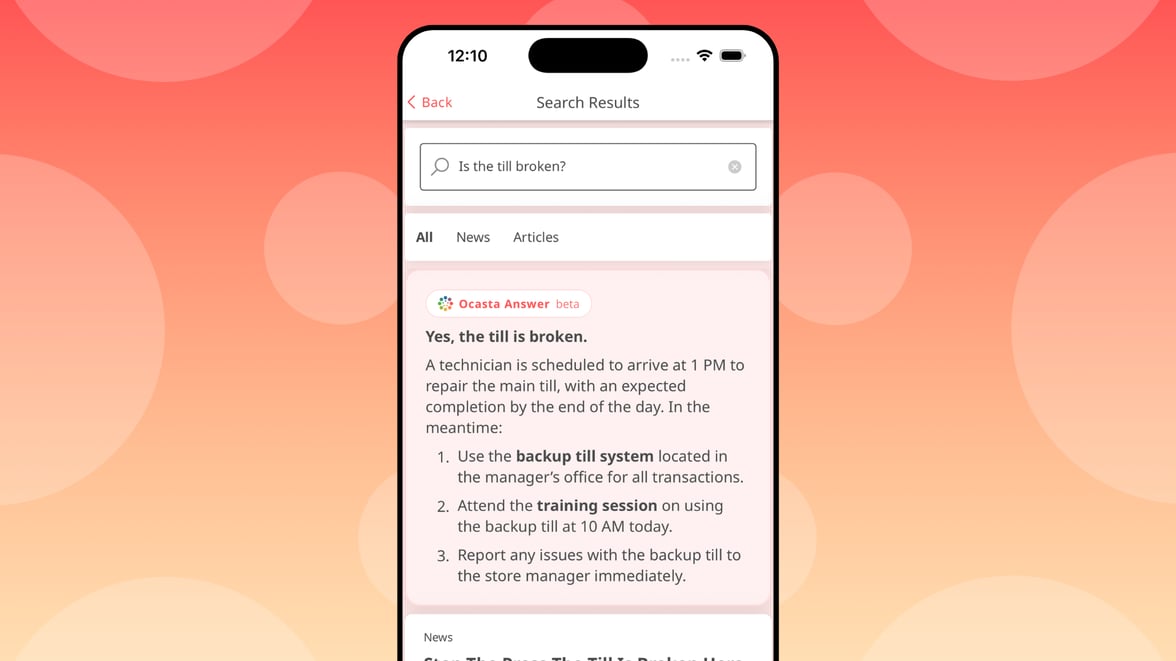
Your frontline shouldn’t have to scroll through multiple results to find an answer.
Search now includes an AI-generated Ocasta Answer at the top of results, whenever relevant. It pulls together the most information and presents a clear, concise answer — so your teams can stop guessing and start knowing.
- Automatically summarises relevant search results
- Gives users a direct answer in seconds
- Reduces time spent clicking between articles
This searches across your published news and articles and provides a clear answer to your frontline.
Target, schedule and archive banners ⏰
Knowledge & Learning Hub
Comms & Engagement Hub
Banners now work like news and articles in the CMS.
You can target them to the right people, schedule them to go live at the right time, and archive them when they’re no longer relevant.
All your existing banners have been migrated to the new format, so you can start using these controls straight away.
You’re in control of who sees what, and when — so your frontline gets the right message at the right moment.
Better quality kudos 👏
Comms & Engagement Hub
We’ve introduced new quality requirements for Kudos messages to help keep recognition meaningful and impactful. Messages must now:
- Be at least 20 characters long
- Contain at least 3 words
- Avoid 10 or more repeated characters
These updates encourage more thoughtful, specific recognition across the platform.