
 ChatGPT
How to improve employee engagement on Viva Engage and Yammer for frontline teams
“How can I improve employee engagement on Viva Engage and Yammer?” is one of the most common questions we hear from retail, hospitality, and field operations leaders.
It is a fair question. Microsoft Viva Engage (formerly Yammer) is brilliant for culture, connection, and peer-to-peer conversation. But when you ask it to carry business-critical updates for frontline teams — people without desks, corporate email, or time to scroll — engagement often drops. Important messages get buried. Managers end up relaying everything by hand. And leaders are left guessing whether anyone actually saw what mattered.
This guide explains what Viva Engage is genuinely good at, where frontline teams struggle, practical steps to improve engagement on the platform itself, and how to pair it with tools built for operational comms so your people stop guessing and start knowing.
What is Viva Engage good for?

Viva Engage works like a private social network inside your organisation. It brings people together, encourages open discussion, and helps knowledge spread across teams in a familiar feed-based format.
For desk-based colleagues, that is often enough. For frontline teams, it can still play a valuable role in building community — celebrating wins, sharing stories, and helping people feel connected to the wider business. The problem is not the tool itself. It is using a social platform to do a job it was never built for: targeted operational comms that people need to notice, understand, and act on.
Viva Engage is strong for culture. It is weaker when the update is not optional — when something must reach the right store, shift, or role, and you need proof it landed.
Why frontline teams struggle on Viva Engage
We speak to operations and internal comms teams every week. The same friction points come up again and again. They are not about people being disengaged. They are about the experience of using a social tool for operational work.
Mobile experience falls short
Frontline work happens on the shop floor, in the kitchen, on the road — not at a desk. Teams rely on phones and tablets, yet many users report that Viva Engage’s mobile experience feels clunky compared with consumer apps. Navigation, notifications, and finding the right conversation take more effort than they should. When an app is hard to use in a two-minute break, usage drops fast.
Updates require active monitoring

Unlike push alerts built for operational comms, Viva Engage often expects people to log in and watch the feed. That is a big ask when you are serving customers, running a shift change, or covering a short-staffed rota. If the only way to stay informed is to keep checking a social feed, important updates compete with everything else on screen — and lose.
Information is hard to find and organise
Files are difficult to sort. Older posts disappear under newer ones. Threads flatten when replies are not nested, so conversations become hard to follow. As volume grows, noise wins and signal gets lost. Frontline teams do not need more content. They need the right content, in the right place, at the right time.
Notifications lack relevance
When everyone can post and anyone can pull you into a thread, notifications quickly feel irrelevant. That leads to information overload, notification fatigue, and people switching off entirely — which means they miss the updates that actually mattered.
Open posting reduces control
Social tools thrive on openness. Operational comms need governance. When anyone can publish anything, frontline teams cannot tell what is official guidance, what is opinion, and what they are expected to act on. That erodes trust — and engagement with it.
How to improve engagement on Viva Engage itself
Before you add anything else to your stack, there is plenty you can do inside Viva Engage to make it clearer, calmer, and more useful — especially for frontline colleagues who dip in between tasks.
Stop the feed becoming a confusing mess

Start with structure. Create clear communities or channels for topics, projects, and locations, and make the naming obvious. Train people on where to post what, and keep operational announcements out of general social spaces where they will get buried in minutes.
- Document guidelines for what belongs on Viva Engage versus elsewhere
- Point people to centralised resources for policies, procedures, and reference material
- Encourage search before posting to reduce duplicate questions
- Archive outdated communities and posts so the platform stays navigable
Make notifications more relevant

Review notification settings at team and individual level. Mute low-value communities, follow only what matters to your role, and use @mentions deliberately so alerts mean something when they arrive.
- Agree when @mentions are appropriate — and when they are not
- Set quiet hours where your organisation allows it
- Leave communities that no longer serve your team
- Teach managers to route operational updates through the right channel, not every group at once
Use Viva Engage for what it does best
Most large frontline organisations cannot rip out Viva Engage. It is embedded in Microsoft 365, familiar to head office, and genuinely useful for culture and connection. Replacing it is rarely the answer — and adverts that tell you to “just switch” ignore how frontline operations actually work.
The better approach: keep Viva Engage for social engagement, peer recognition, and community. Send business-critical updates, tasks, knowledge, and compliance work through a channel built for frontline operations.
The real question: how do you reach the frontline?
Improving Viva Engage hygiene helps. But if your goal is reliable reach, tracked action, and insight back to HQ, you need a layer designed for operational moments — not another social feed.
That is where Ocasta fits. We are a frontline operations platform with five hubs: Comms & Task Management, Knowledge & Learning, Inspections & Checklists, Observations & Coaching, and New Starter. We work alongside tools like Viva Engage and SharePoint — we do not ask you to rip them out.
Use Viva Engage for connection. Use Ocasta when people need to know what is changing, what needs doing, and whether it got done.
How retailers like Virgin Media O2 use Ocasta alongside corporate tools

“We’ve never had performance like this with any of our platforms.”
Jody Myers, Head of Core Operations, Virgin Media O2
Virgin Media O2 faced the same dilemma many frontline businesses recognise: corporate collaboration tools were not reaching store teams with the consistency leaders needed. Engagement on business-wide platforms lagged behind what operations required. They did not remove their existing tools. They added Ocasta for the moments that matter on the frontline.
The results speak for themselves: 98% engagement on Ocasta, 94% comms read rates, and performance that outstrips their wider corporate comms estate. That is what happens when you stop asking a social network to carry operational weight.
Viva Engage vs Ocasta: where each tool wins
Think of it as a split, not a swap. Viva Engage handles the social layer. Ocasta handles operational knowledge and action.
| Frontline challenge on Viva Engage | How Ocasta addresses it |
|---|---|
| Irrelevant notifications for everyone | Target comms and tasks by role, location, or custom audience — so alerts only reach people who need them |
| Cluttered feed where updates disappear | Personalised operational feeds in Comms & Task Management — people see what applies to their shift, store, and role |
| Files and posts hard to organise | Structured knowledge tiles and a searchable knowledgebase in Knowledge & Learning |
| Not intuitive for less tech-confident colleagues | Simple mobile-first design — if you can read a message and tap a task, you can use Ocasta |
| No way to track whether work happened | Comms paired with task management, so updates become trackable actions with real-time completion insight |
| Anyone can post, so official guidance gets lost | Accredited, governed content — operations teams control what frontline staff see and when |
| Operational updates buried among social chatter | Keep culture on Viva Engage; push business-critical change through Ocasta with instant push alerts |
Targeted comms. Tracked tasks.
Tools like Viva Engage and SharePoint end up cluttered, hard to access, and unhelpful.
Ocasta’s Comms & Task Management hub lets you target the right content, to the right people, at the right time.
No guessing. No noise. Just your frontline knowing what’s changing, what needs doing, and whether it got done.
Comms are tasks in disguise
Too many frontline comms are not just updates to read. They are something people need to notice, understand, and act on — a price change, a new process, a compliance check, a coaching follow-up.
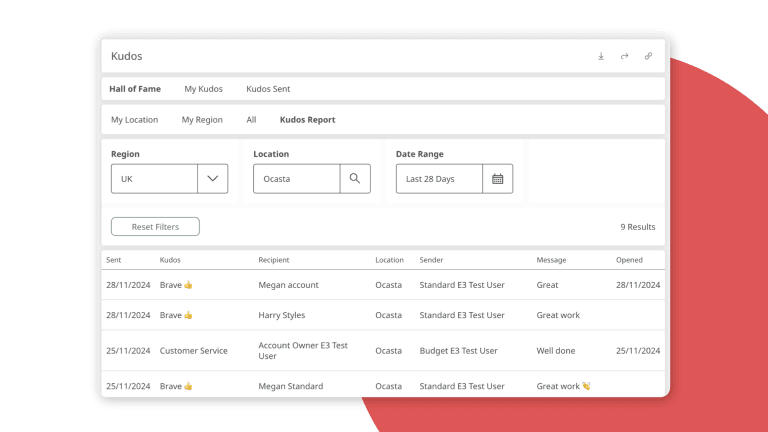
That is why Ocasta pairs comms with task management across the platform. In Comms & Task Management, the task is the main event. In Inspections & Checklists, structured reviews turn standards into evidence. In Observations & Coaching, skill gaps become coached moments with clear follow-up. Kudos, rewards, and sales incentives sit inside comms as supporting features — reinforcing the right behaviour, not replacing operational clarity.
The outcome: frontline teams stop scrolling and hoping they caught the right post. Leaders stop guessing whether a message landed. Everyone gets the knowledge and insight needed to improve performance in every moment.
“It’s working, it is having an impact, and the results are showing it.”
Jody Myers, Virgin Media O2
What good looks like for frontline engagement
When Viva Engage and Ocasta work together, each tool does the job it is built for. Your people get connection without chaos. Your operations team gets reach without the manager relay. Your leaders get insight instead of assumptions.
- Culture and community live on Viva Engage — celebrations, stories, peer discussion
- Operational comms and tasks live on Ocasta — targeted, tracked, and measurable
- Knowledge and learning sit in one searchable place — not scattered across threads
- Inspections and coaching turn standards into action — with evidence, not hope
- New starters get confidence before day one — reducing no-shows and first-week friction
That is the difference between engagement as a vanity metric and engagement that changes how stores, sites, and teams perform.
Three steps to stronger frontline engagement
- Audit your comms split. List what genuinely belongs on Viva Engage versus what needs targeted delivery, task tracking, or governed knowledge.
- Fix the basics on Viva Engage. Use the checklist above to reduce noise, improve structure, and set clear posting guidelines.
- Add an operational layer for the frontline. Book a demo to see how Ocasta works alongside your existing Microsoft tools — and what 98% engagement looks like when comms are built for the moment.
Frequently asked questions
Should we replace Viva Engage with Ocasta?
No — and we would not recommend trying. Viva Engage is part of your Microsoft ecosystem and it is useful for social connection. Ocasta is built for frontline operations: targeted comms, tasks, knowledge, inspections, and coaching. Most customers use both, with a clear split between culture and operations.
Can Ocasta integrate with Yammer?
Ocasta is designed to work alongside Viva Engage rather than replace it. You do not need deep integration for the model to work: social and community on Viva Engage, operational comms and tasks on Ocasta. Your frontline gets one clear place for what they need to know and do.
How do we improve engagement without overwhelming store teams?
Reduce noise first. Target messages by role and location, turn important updates into trackable tasks, and keep reference material in a searchable knowledgebase instead of a scrolling feed. Engagement improves when people trust that what arrives is relevant — not when you send more.
What engagement rates do Ocasta customers see?
Results vary by use case and rollout, but Virgin Media O2 report 98% engagement on Ocasta and 94% comms read rates — well above their wider corporate comms tools. The platform gives leaders real-time insight into who has seen, read, and completed what.