
 ChatGPT
Regional roaming
We’re introducing a new roaming permission tied to user roles, offering more flexibility and control over the locations users can view in Ocasta.
Previously, access was managed per user with the Can Roam flag. This approach was limiting as it was all-or-nothing and required manually controlling access for each user profile.
The new role-based permissions allow for more granular roaming options with the three following options:
- None – Roam within their Location – Users can perform/view checklists and see analytics for their own location and users within their location.
- Region – Roam within their Region – Users can perform/view checklists and see analytics for all locations and users within their region and any sub-regions.
- Everywhere – View All Locations – Users can perform/view checklists and see analytics for all locations and users.
Regional Roam is perfect for your area managers who only need to see their regions. Just make sure they belong to a location in their main region to get going.
PDF export for checklists and observations
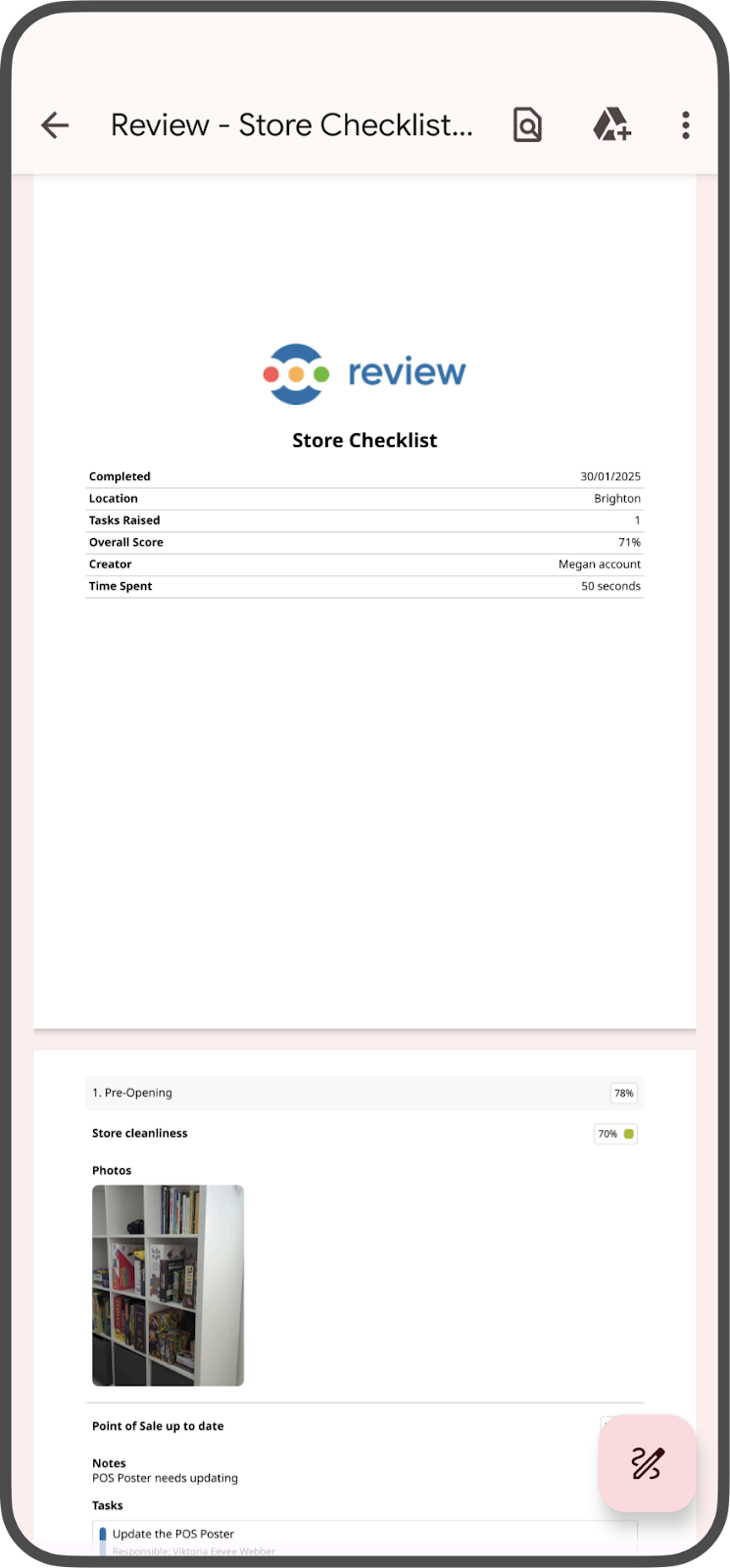
You can now generate and share a PDF of a completed checklist or observation directly from the app. Tap the Document icon when viewing a checklist and a preview of the PDF will open ready to be shared.
It’ll share a branded document complete with large photos and details of your checklist.
🇺🇸 Display dates in localised formats
Dates, for example when a checklist was completed, and on the Analytics page on the web will now follow your device’s location settings.
Bulk upload Kudos with CSV
Sending Kudos to a whole team is now even easier! Our Bulk Send Kudos feature has always allowed users with the right permissions to send kudos to multiple people at once.
Now, we’ve added a new option, Bulk Upload, so instead of manually entering individual usernames, you can now upload a CSV file with a list of usernames.
Perfect for exporting sales data, new starters, or metrics from other systems and then recognising top performers.
Hide certain Kudos type from the hall of fame
If you are worried about cluttering the Hall of Fame when sending Kudos in bulk, we’ve introduced an option to create Kudos that don’t appear in the Hall of Fame. This gives you full control over Kudos visibility when sending them in bulk.