
 ChatGPT
This release gives you more visibility into frontline performance and makes everyday tasks easier to manage.
We’ve introduced a deeper analysis of review data, made improvements to the feed and location task visibility, added regional user management permissions, more than 1,000 icons, simplified app switcher administration, and made it faster to assign tasks at scale.
See all your review answers
Inspections & Checklist Hub
Observations & Coaching Hub
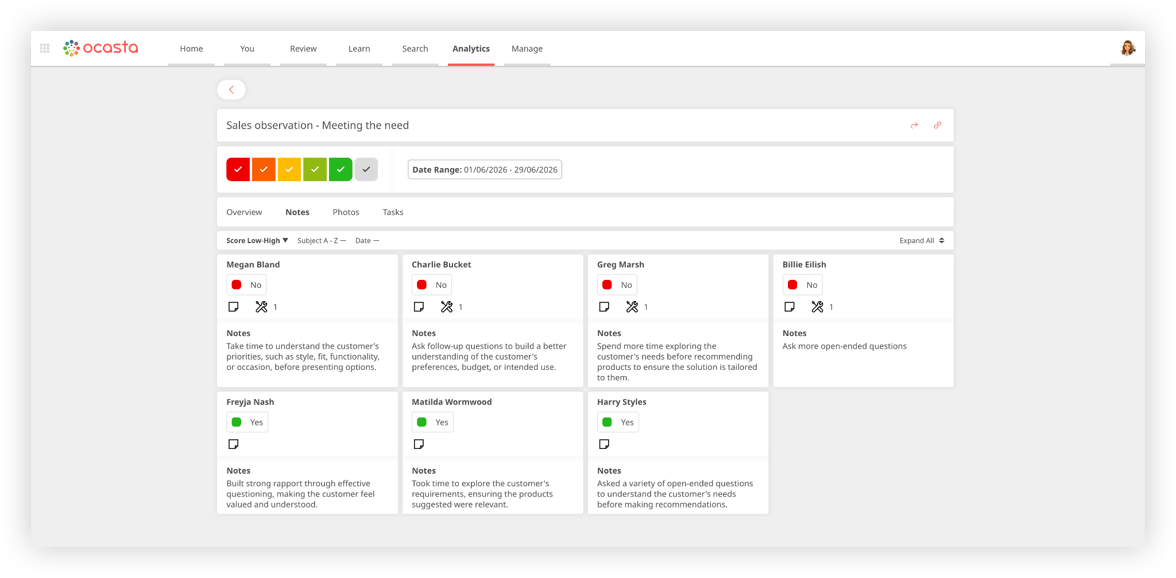
Based on your feedback, we’ve added a new Single Insight View to make investigating review insights much faster by bringing every response, including photos, together in one place.
From Insight Reports in Analytics on the web, you can now open a focused view showing every response recorded against a specific insight across your chosen template and date range, including notes, photos and tasks.
Instead of opening individual reviews one by one, you can compare responses, spot recurring issues, identify best practice, and understand the story behind the data.
For example, if you’re reviewing a merchandising standard or store display, you can see every photo submitted for that insight together, making it much easier to compare locations, spot inconsistencies, and verify that standards are being met.
Bulk assign tasks
Inspections & Checklist Hub
Observations & Coaching Hub
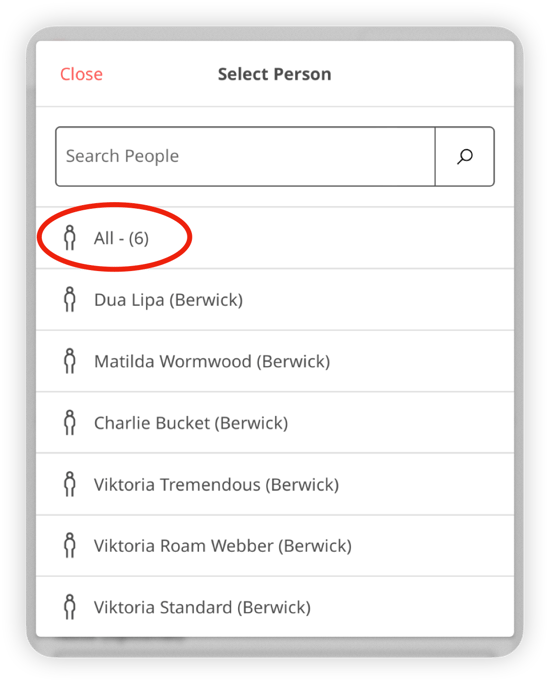
When creating a task outside of a review, you can now assign it to multiple people or locations at the same time.
You’ll see a new Select All option when choosing users or locations, making it much faster to create and distribute tasks, and helping your frontline self-serve task management.
Tasks can be assigned to up to 40 users or locations in a single action.
Show location tasks in the feed
Core Platform
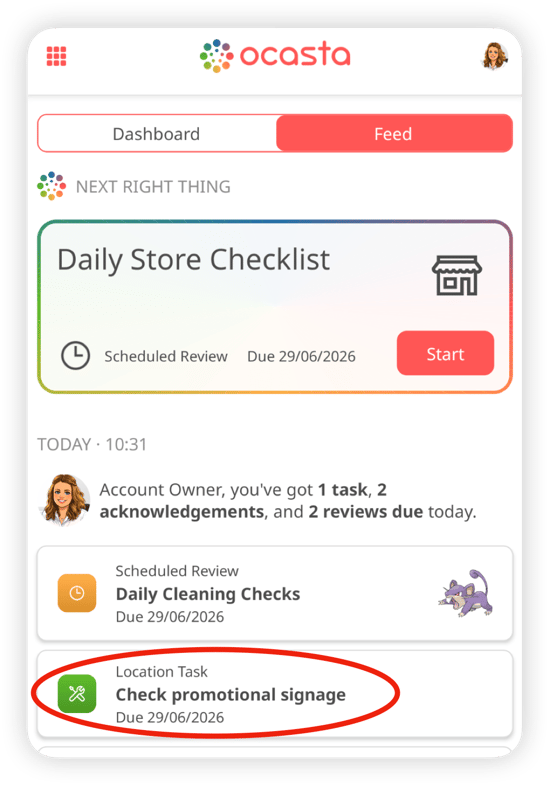
Last month, we introduced location tasks.
Instead of assigning a task to a specific person, you can assign it to a location. This gives your team the flexibility to pick up the task when it makes sense, without slowing things down by deciding who should do it.
Location tasks now appear in the feed, giving them greater visibility and making it easier for teams to stay on top of work.
The feed provides a live view of the work that matters most right now, helping people see what needs attention and take action quickly.
An iconic moment
Core Platform
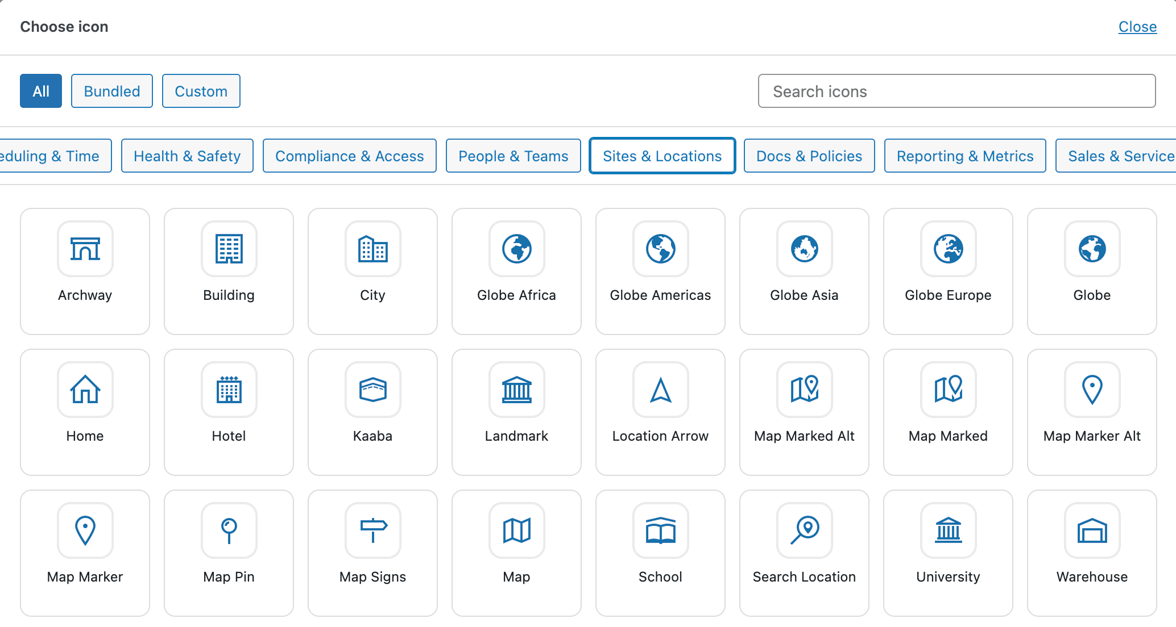
We’ve introduced a shared CMS icon library, making it easier to maintain a consistent look and feel across your content and navigation.
The library includes over 1,000 bundled icons to choose from, and you can upload your own to be shared with the team.
Admins can now select from a centralised library of reusable icons when configuring:
- Review templates
- Article categories
- News categories
- Dashboard tiles
Get teams up to date faster with the feed
Core Platform
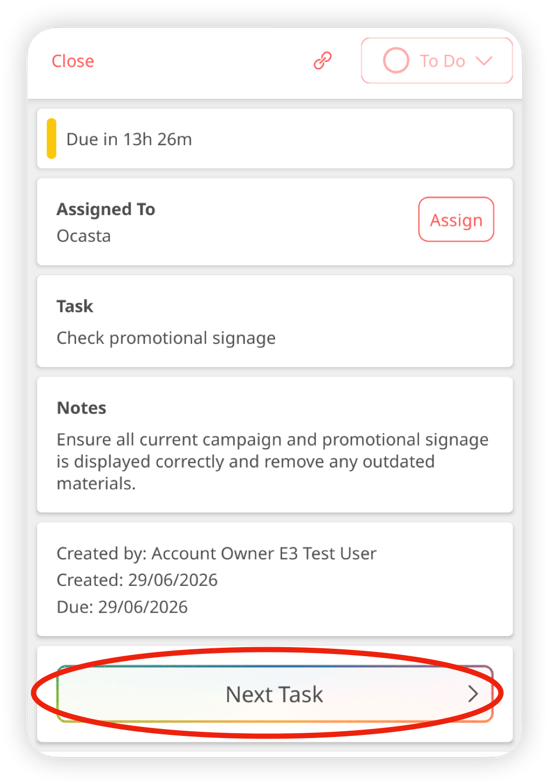
We’ve made it quicker to work through items in the feed.
You can now move directly to the next item of the same type without returning to the feed each time. This creates a smoother workflow and helps teams complete tasks more efficiently.
Regional user management
Core Platform
We’ve introduced a new regional user management permission.
Previously, user management permissions were limited to either managing all users or only users within the same location.
With the new regional permission, users can manage people within their assigned region and any sub-regions beneath it. This gives regional leaders greater control while maintaining appropriate access levels.
Other improvements
Some smaller improvements to keep the platform running smoothly for you:
- Much faster notifications — if you were sending notifications to a complex audience, we’ve improved the speed these will be received by your frontline.
- You can now manage all app switcher settings from a single place.