
Quick Telecoms Competitor Pricing Visit Checklist
Download your checklist
Please fill out the form below to access your free checklist download.
About this checklist
This telecoms competitor pricing visit checklist is the fast, commercial version of a full competitor store visit checklist. It is a visit checklist you complete inside a rival’s shop, built for a five-minute walk-in when you just need the numbers that matter: what offers a rival is running (especially the deals you can’t see online), how their pricing compares, and how busy and well-staffed the store is. No full mystery-shop journey, no scripted persona — just the key commercial intel, captured consistently so you can compare store to store.
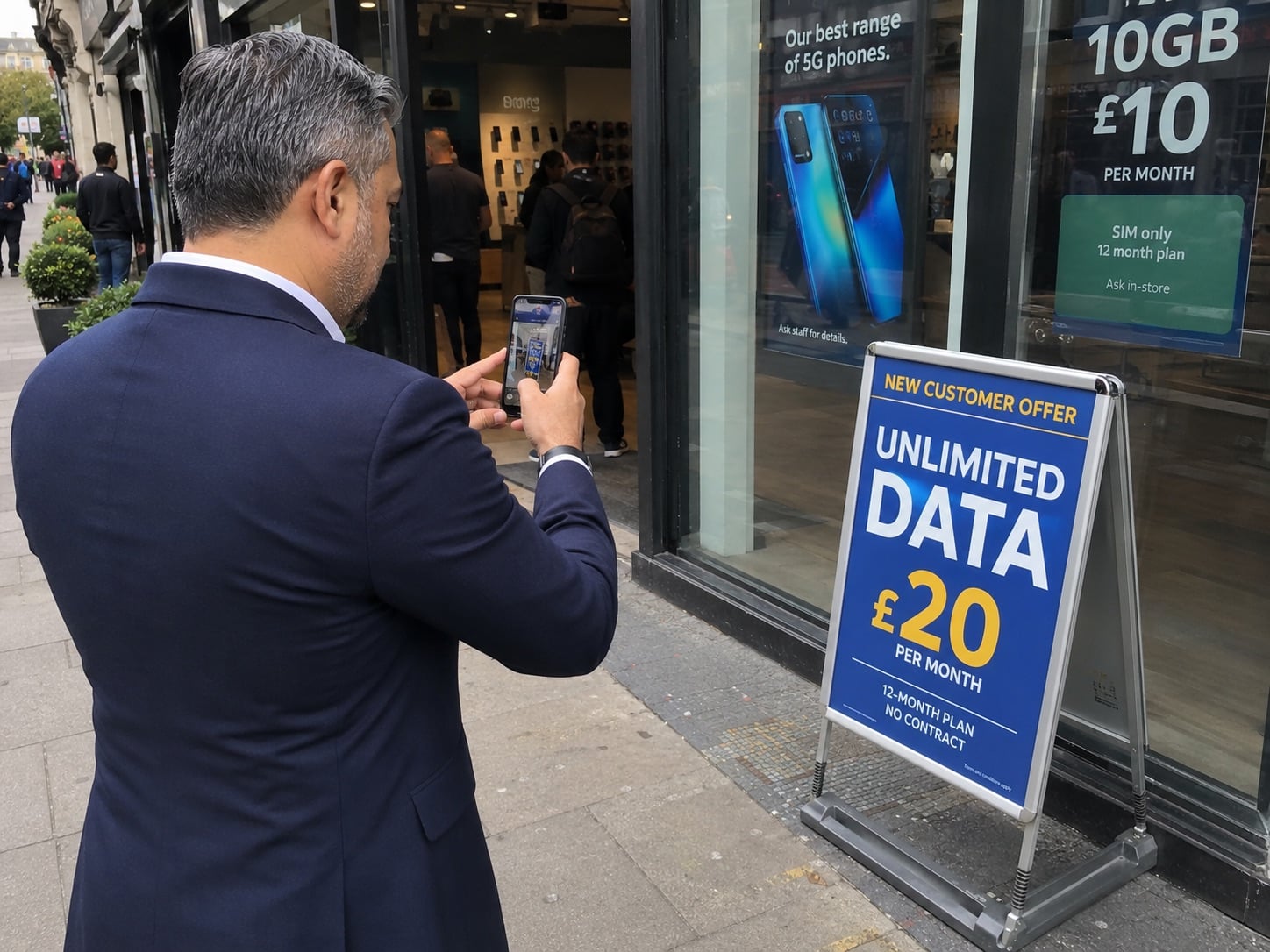
The single most valuable thing to bring back is visibility of the offers you can’t see online. A lot of a rival’s best telecoms deals never appear on their website — in-store-only bundles, “manager specials”, window promotions and colleague-negotiated discounts. Photograph those offers (where permitted) with the exact price and conditions. That, plus a quick read on staffing and customer levels, tells you most of what you need commercially.
What is a telecoms competitor pricing check?
A telecoms competitor pricing check is a short, structured store visit checklist that captures a rival’s live offers, prices and in-store activity — without running a full mystery shop. Instead of scoring the whole customer journey, you record the commercial essentials in a few minutes: the promotions on display, any offers that aren’t available online, a handful of real device and tariff prices, and how busy and well-staffed the store is. Because everyone completes the same visit checklist, the results are comparable across stores, regions and repeat visits.
Who should run these competitor visits?
This is a visit checklist for anyone who already spends time in and around stores. Most often that is store and branch leaders checking rivals on their own patch, and regional or area managers building a commercial picture across their region. It also works well for commercial, trading and category teams who need live pricing intel, and for field or merchandising teams who pass competitor stores as part of their day. Because it takes only a few minutes and needs no special training, you can ask any trusted colleague to complete it — the key is that everyone uses the same checklist so the results stay comparable.
Why in-store telecoms offers differ from online
Mobile networks and telecoms retailers often price differently in store than online. Retail teams may have discretion to discount, add accessories, boost a trade-in value, or run local “manager specials” to hit targets — deals that never appear on the website and can’t be price-matched from a desk. Store windows and fixtures also carry time-limited promotions that change faster than a rival’s online range. That is why a physical visit still matters commercially: it is the only reliable way to see the offers a customer would actually be shown on the shop floor, and to benchmark them against your own.
When to use the quick version
Use this checklist when you are passing a competitor and want fast intel, when a rival has just launched a promotion you need to react to, or when you want a regular commercial pulse across a region without committing to a full visit. If you need the complete customer-journey walkthrough — greeting, discovery, demo, compliance and close — use the full telecoms retail competitor visit checklist instead.
What the quick commercial check captures
- Visit details: competitor, location, date and time
- Key offers: the promotions on show, and which ones aren’t available online
- Pricing: a few real device and tariff price examples to benchmark against
- Staffing and customer levels: colleagues on the floor and how busy the store is
- Action: the one commercial takeaway and what to do about it
Disclaimer: This checklist is for general guidance only and does not constitute legal, regulatory, health and safety, or professional advice. You are responsible for ensuring compliance with applicable laws, standards, and internal policies.
Included questions
Here's what's included in this checklist:
Visit details (3)
A few quick facts so the intel is comparable store to store.
-
Text
Visit date and time
Day and time matter for reading staffing and footfall, so note them.
Comments Images -
Dropdown
Competitor brand visited
Select the network or retailer you visited.
Comments Images Scorable -
Text
Store location
Town/city, shopping centre/high street, and any identifying notes.
Comments Images
Key offers (3)
What the store is pushing right now — and which offers you can only get in-store.
-
Yes/No
Did you photograph any offers that aren’t available online (where permitted)?
The most valuable intel to bring back — in-store-only bundles, “manager specials”, window promotions and colleague-negotiated discounts. Photograph the ticket or signage where permitted; if not, record the exact wording and price.
Comments Images Scorable -
Text
What are the key offers on show? (record exactly)
List the most prominent promotions. For each: device or tariff, the price or discount, any conditions, and mark clearly if it is in-store only.
Comments Images -
Yes/No
Did you photograph the hero/window offer (where permitted)?
The lead offer in the window or on the door. If photos are not permitted, record the exact wording and price points.
Comments Images Scorable
Pricing (3)
A handful of real prices so you can benchmark against your own.
-
Text
Record three price examples (device or plan)
For each: product, upfront, monthly, contract length, and any conditions. Pick the ones most relevant to your own range.
Comments Images -
Unit
Headline monthly price on show
The lead monthly price the store is promoting most prominently.
Target range: 0 - 0 (Currency)Comments Images Scorable -
Dropdown
How does their pricing compare to ours?
A quick gut-check on the offers you saw versus your own equivalent.
Comments Images Scorable
Staffing and customer levels (4)
A quick read on how busy and well-staffed the store is right now.
-
Number
How many colleagues were on the shop floor?
A quick headcount of staff visibly working the floor (exclude anyone clearly on a break).
Comments Images Scorable -
Number
Roughly how many customers were in store?
A quick count of customers being served or browsing.
Comments Images Scorable -
Dropdown
How busy was the store?
Customer demand versus staffing at the time of your visit.
Comments Images Scorable -
Text
Staffing and customer notes
Anything that stood out — a greeter on the door, colleagues tied up on long setups, or nobody free to help.
Comments Images
Action (3)
One clear takeaway and what to do about it.
-
Text
Commercial takeaway
In one line: the most important thing you learned that affects our pricing or offers.
Comments Images -
Dropdown
Does this need action?
How urgently should someone respond to what you saw?
Comments Images Scorable -
Person
Who should pick this up?
Assign an owner if action is needed.