
 ChatGPT
There are two bigger changes this month. In Knowledge & Learning, learning managers can see course progress across people, teams and locations without opening each course in turn. And anyone who reads more comfortably in another language can now translate news and articles on their own device.
Alongside those, people are told automatically when they’ve been enrolled on a course, desk-based teams can get notifications in their browser, and admins who set up reviews get optional signatories and a quicker way to check who can see what.
See learning progress across courses
Knowledge & Learning Hub
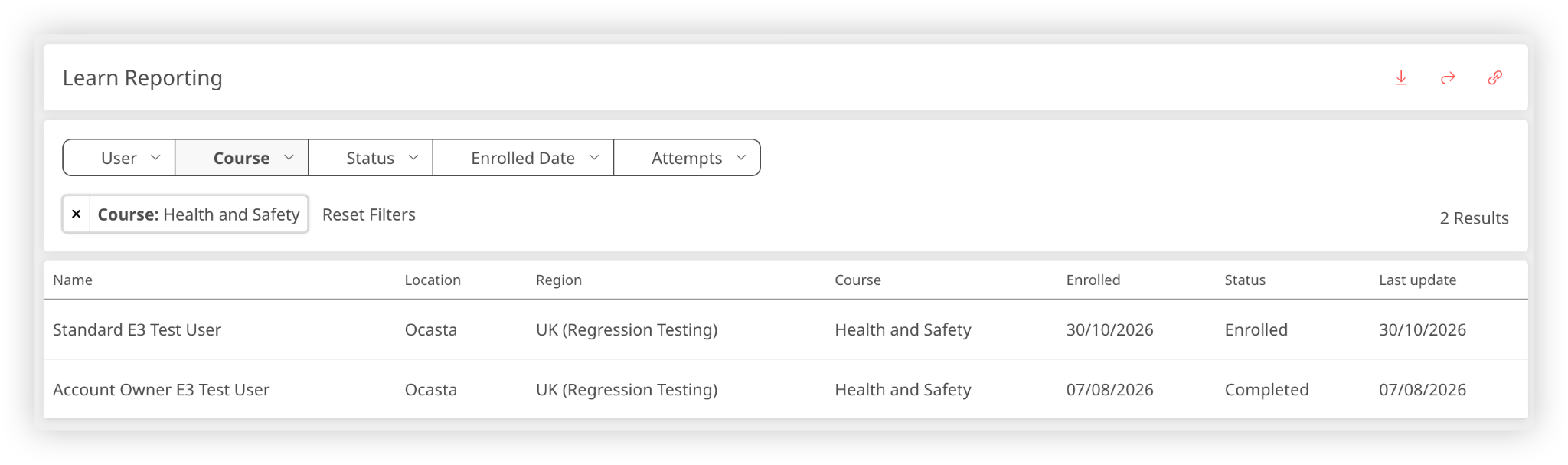
If you need to know which sites still have required training outstanding, you can see it in one report rather than opening each course in turn. Filter by completed, in progress, enrolled or withdrawn to find where training has stalled, check how many attempts people have made, and download the results as a CSV for area managers.
There’s now a Usage analytics area in Content Reports on the Manage page. Before this, you had to open an individual course to see its analytics. You can go straight to reporting and move between courses without stepping back each time.
Tell people when they’ve been enrolled
Knowledge & Learning Hub
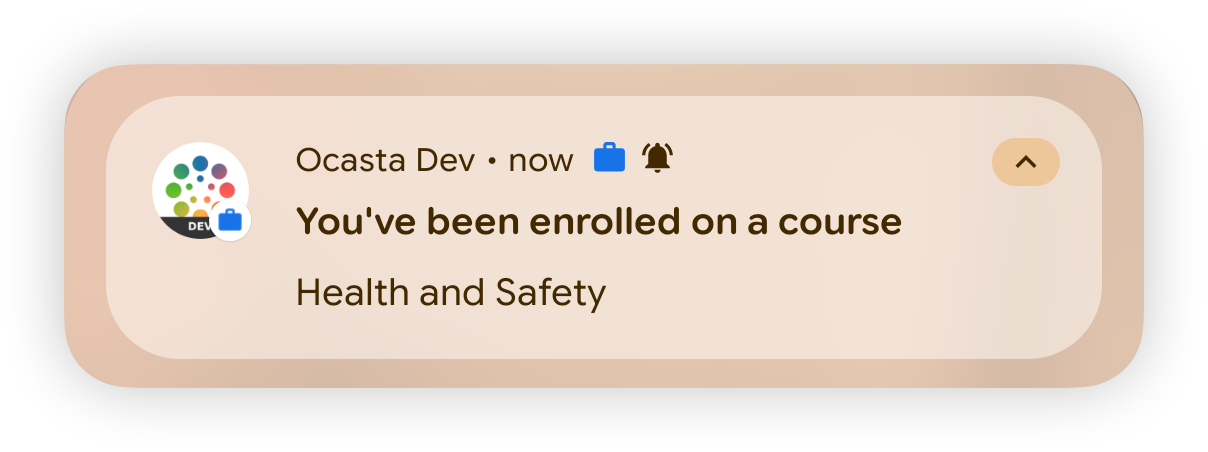
When a learning manager enrols someone on a course, Ocasta can tell them straight away by email, push notification, or both, so they don’t have to hear about it from their manager or come across the course later in the app.
Admins with the relevant permissions choose whether those notifications go out by email, push notification, or both.
Translate news and articles in one tap
Comms & Task Management Hub
Knowledge & Learning Hub
When a process changes, someone who reads more comfortably in Polish or Portuguese shouldn’t have to piece it together from an English post. They can now translate a news post or article on their own device with one tap, without your comms team writing a separate version for each language.
Once an account owner has turned local translation on from the branding page, and the app language is different from the site’s default, a Translate button appears on news and articles. The translation happens on the person’s device, in the same way a translate option works in a web browser.
Get notifications in your browser
Core Platform
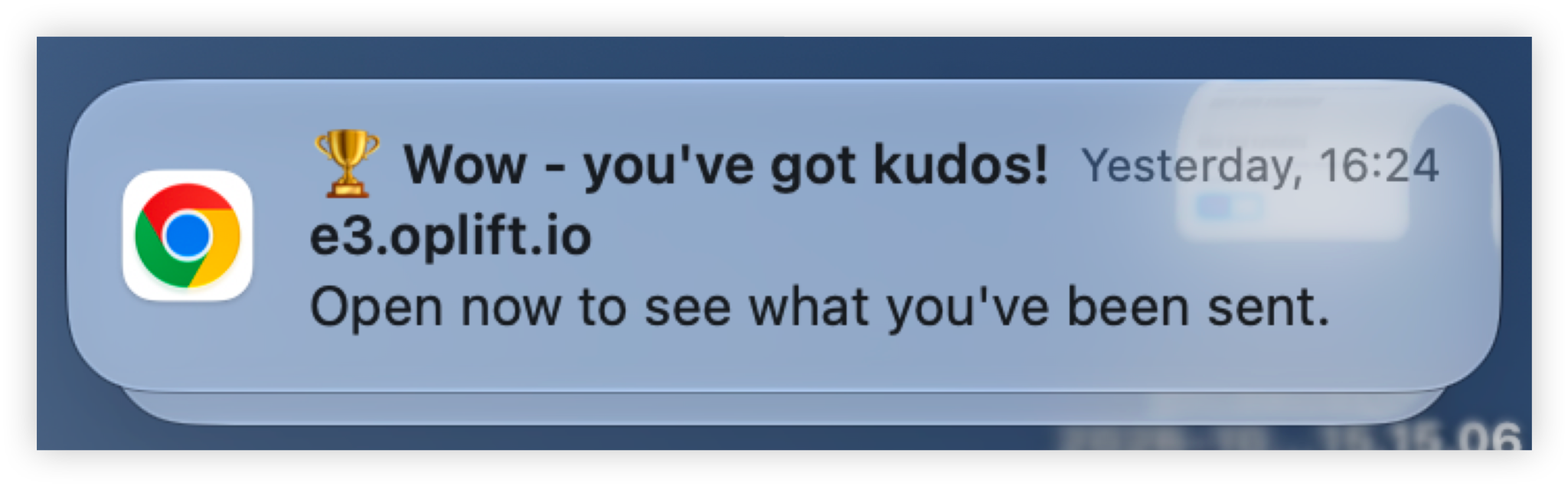
You can now receive Ocasta notifications in a desktop browser, so you don’t have to keep the Ocasta tab open or check a phone to see when something needs attention. Urgent alerts and notifications show on screen even when Ocasta is sitting in a background tab, which suits head office teams and managers who spend most of the day at a desk.
Check a user’s access to a review
Inspections & Checklists Hub
Observations & Coaching Hub
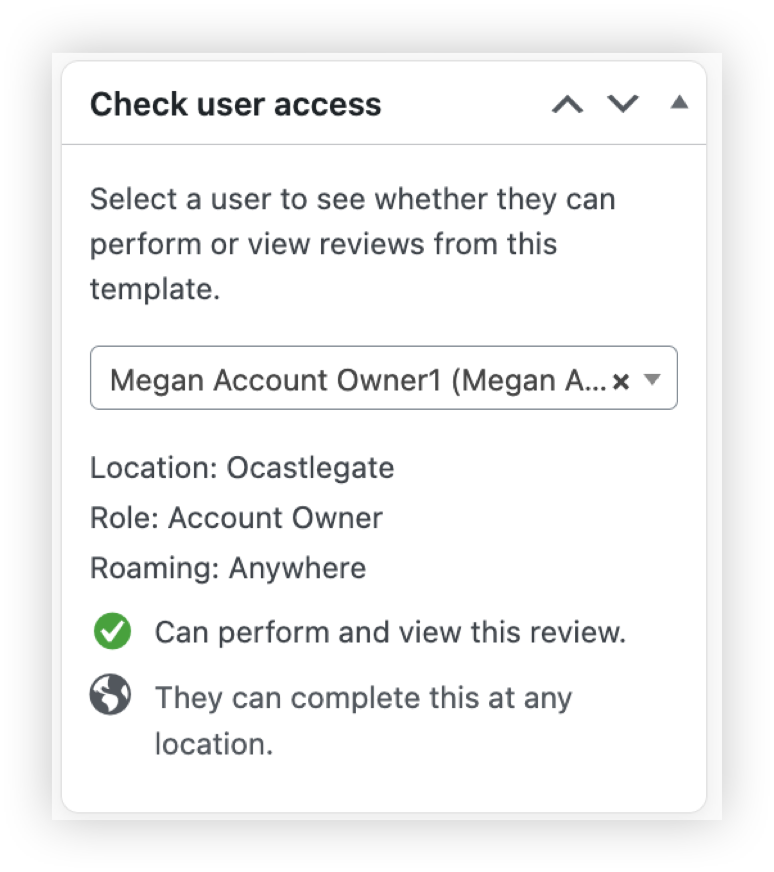
Next time an area manager asks why they can’t see results for a site, you can check from the review template instead of working through their role and permissions one by one.
Check user access shows whether that person can perform the review, view its results in Analytics, and which locations they can reach.
Choose whether a signatory is required
Inspections & Checklists Hub
Observations & Coaching Hub
When you create a review template, you can now choose whether a signatory has to be selected for a signature insight.
If a signatory is required, the signature is linked to an Ocasta user as usual. If it isn’t, you can capture a signature without selecting a user. That’s useful when the person signing isn’t on Ocasta, such as a contractor visiting a site, or when the person completing the review can’t see the signatory because they work at a different location.
Smaller wins from your feedback
This month we’ve sorted these directly from customer feedback:
- Podcasts now accept .m4a files, including ones your device labels as a generic MP4.
- The user import report now shows how many people were added and how many were updated.
- You can export news and article summaries as a CSV.
- Manual changes to users in the CMS (creating, editing, changing roles, deactivating, deleting) are now logged with the admin who made them.
- You’ll get a warning before changing the subject of a review template that’s already published.
- How To steps can now include tables, and custom colours show while you’re editing a table.
- A link to start a review in a direct task can now be clicked to start it.
- If an attachment can’t be opened, the error message now explains why.
- Sending an alert to a region now reaches every location in its sub-regions too.